Rafe — Operator's Guide
A web-based remote-control head for the Icom IC-705 (and, via the RS-BA1 server, any USB Icom radio or SDR). It gives you the radio's panadapter, audio, CI-V control and a large suite of decoders from any browser — phone, tablet or desktop.
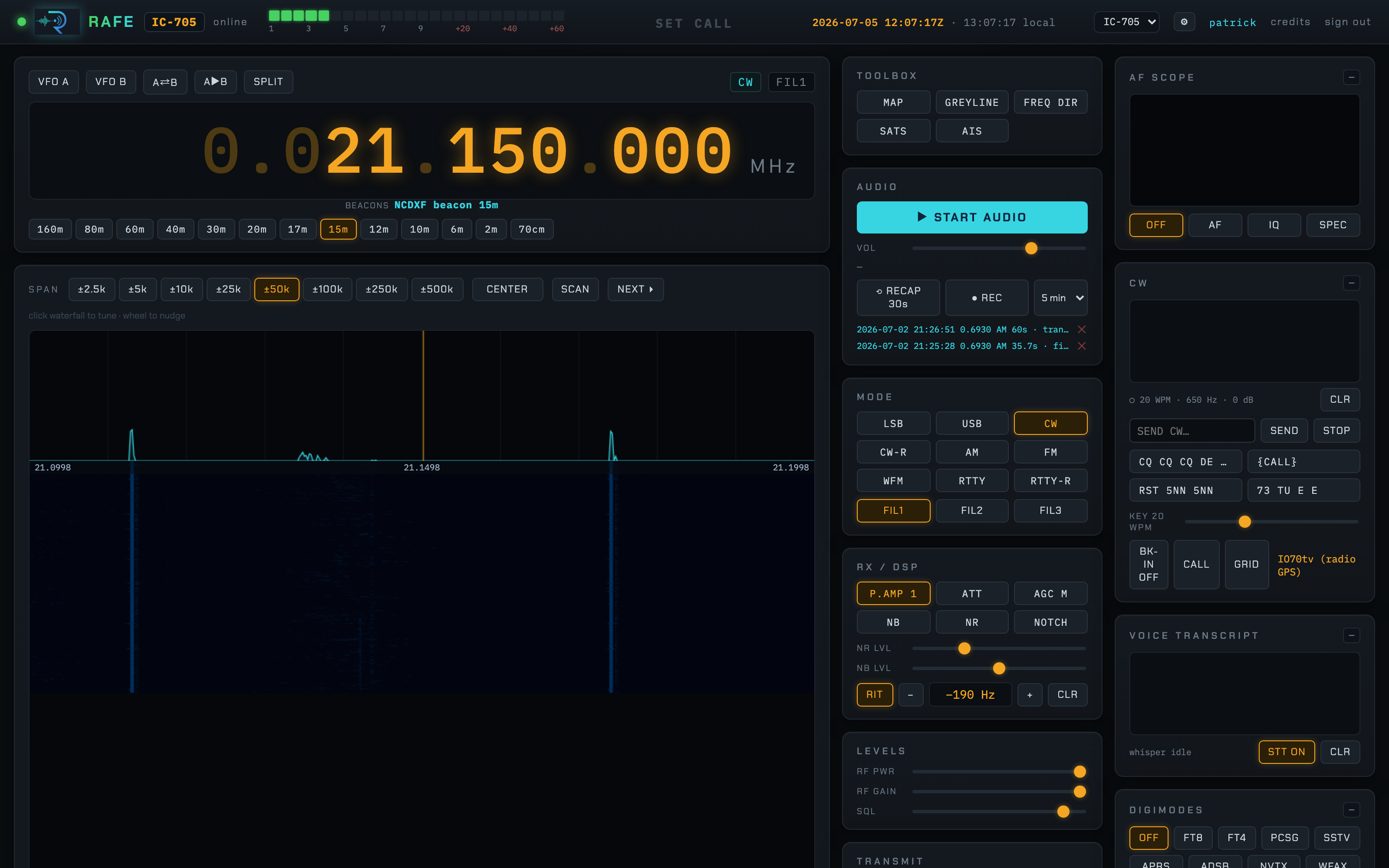
The layout is three columns:
- Left / centre — the VFO, band buttons, the spectrum + waterfall, and a resizable centre pane shared by the keyboard-mode terminals and the toolbox map/tool views.
- Middle column — the toolbox, audio + recording, mode & filter, RX/DSP, levels and transmit.
- Right column — the AF scope, CW keyer, voice transcription and the digimode selector.
Everything updates live over a WebSocket; multiple people can watch at once, and only users with the TX permission can transmit.
Tuning
- VFO digits — scroll a digit to nudge it, or click a digit to type:
enter numerals (each auto-advances right),
←/→to move,Enteron the last digit to tune,Escto cancel. - Band buttons (160 m … 70 cm) jump to each band.
- Click the waterfall to tune to that frequency; the wheel nudges.
- SCAN / NEXT detects CW/SSB/AM signals in the visible span and hops between them.
- VFO A/B, A⇄B swap, A▶B copy, and SPLIT for split operation.
- RIT with a fine offset control.
- Under the dial, an auto-ID line names the frequency from the directory, your memories, satellite downlinks or logged QSOs.
Mode, filter & DSP
- Modes: LSB, USB, CW, CW-R, AM, FM, WFM, RTTY, RTTY-R; filters FIL1–3.
- RX / DSP: preamp (P.AMP), attenuator, AGC, noise blanker, noise reduction, notch, with NR/NB level sliders.
- Levels: RF power, RF gain, squelch.
Audio & recording
- START AUDIO streams the radio's receive audio to the browser (Web Audio); VOL sets level.
- REC records the current audio to a timed WAV (selectable max length); RECAP 30s grabs the last 30 seconds after the fact.
- Recordings are listed with a click to play back.
Transmit
If your login has the TX permission and TX_ENABLED is set, the TRANSMIT
panel keys the radio: click TX, or hold SPACE for momentary PTT (with a
3-minute safety timeout). Live PO / SWR / ALC read out while you transmit.
CW, the digimodes and digital voice route their own audio to the transmitter
automatically.
Scope & waterfall
- SPAN from ±2.5 kHz to ±500 kHz, CENTER (follow the dial) or fixed.
- A simplified RSGB UK band-plan overlay colours the segment under the dial (CW / digi / beacons / phone / FM / satellite / repeater).
- AF SCOPE (top right) shows the demodulated audio as a scope (AF), an IQ vector, or an audio SPECtrum with a dominant-tone readout.
CW
A soft-decision CW decoder prints copy in the CW panel, with a keyer for transmit: type into SEND CW, use the macro buttons (CQ, callsign, RST, 73), and set speed. BK-IN, CALL and GRID helpers included.
Voice transcription
VOICE TRANSCRIPT runs received SSB/FM audio through a local whisper.cpp server (STT ON/OFF) and prints a live transcript — handy for nets and weak copy.
Digimodes
Select a mode in the DIGIMODES panel. Text modes open a terminal in the centre pane; image modes render inline; data modes show status.
| Button | Mode |
|---|---|
| FT8 / FT4 | WSJT-X-style weak-signal — decode + slot-timed transmit |
| PCSG | POCSAG pager decode (multimon-ng) |
| SSTV | Slow-scan TV image decode |
| APRS | AX.25 / APRS position + message decode and beacon/message TX |
| ADSB | Aircraft (needs an RTL-SDR + dump1090) plotted on the map |
| NVTX | NAVTEX maritime safety text |
| WFAX | HF weather fax images |
| RTTY / PSK31/63/125 | classic keyboard modes |
| WSJT-X modes | JT65, JT9, WSPR, FST4… via jt9/wsprd |
| ARDOP / WINLINK | ARDOP modem + Pat Winlink e-mail over radio |
FT8 / FT4
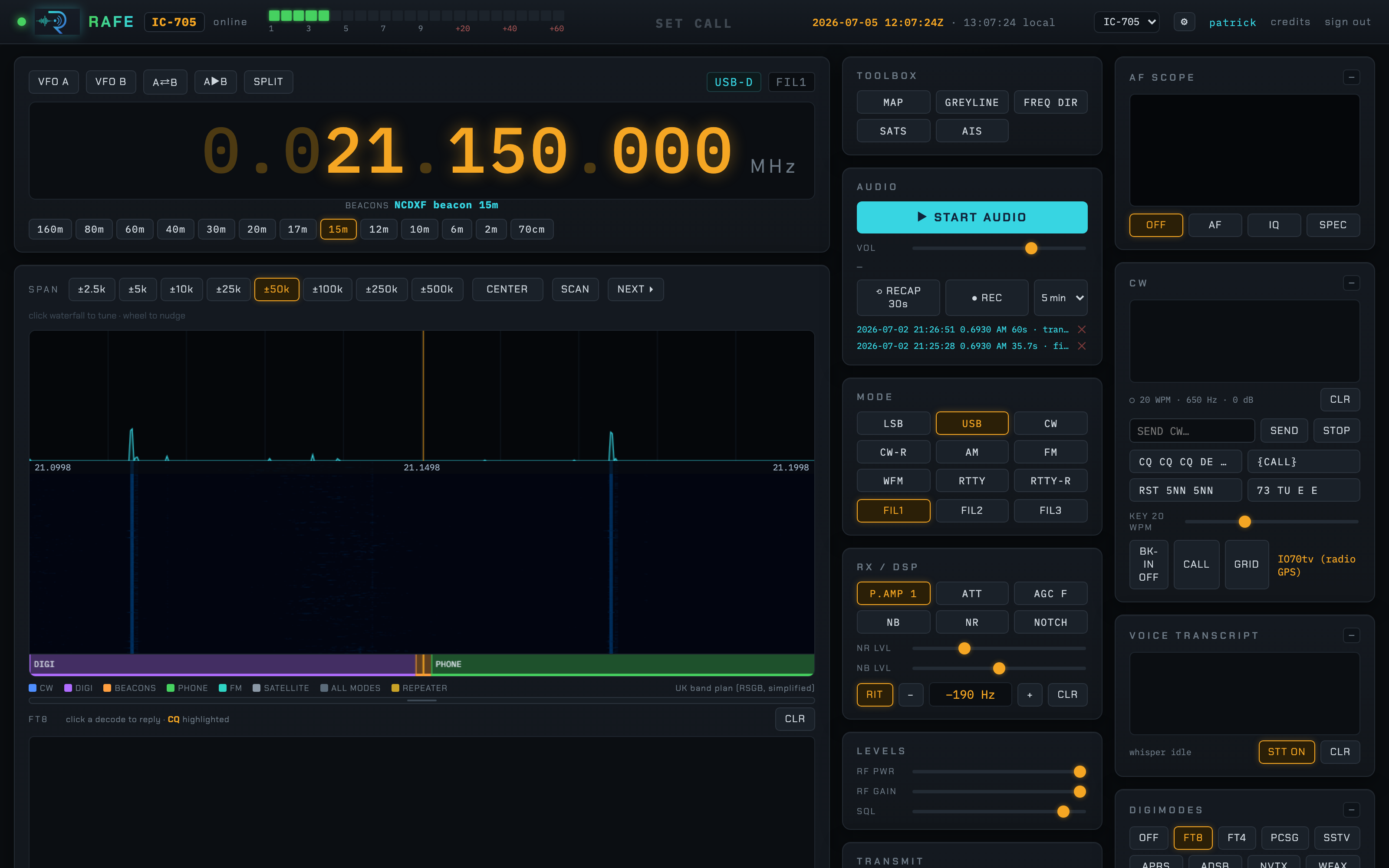
Decodes scroll in the pane; click a decode to reply and the sequencer runs the QSO automatically (report → R-report → RR73), logs it, and can auto-CQ. The TX row shows the cycle, who you're calling and the retry count, with a progress bar for the slot.
Digital voice — FreeDV / M17 / P25
The three digital-voice modes decode to speech you hear in place of the digital hiss, with call/talkgroup metadata:
- FREEDV — HF digital voice (in USB). Decode and transmit (hold PTT and talk; your mic is encoded to the FreeDV waveform).
- M17 — open digital voice (FM). Decode + transmit; your callsign and a destination go in the M17 LSF.
- P25 — public-safety digital voice (FM). Decode only (AMBE encoding is proprietary).
Toolbox
The TOOLBOX buttons open tool views in the centre pane.
MAP
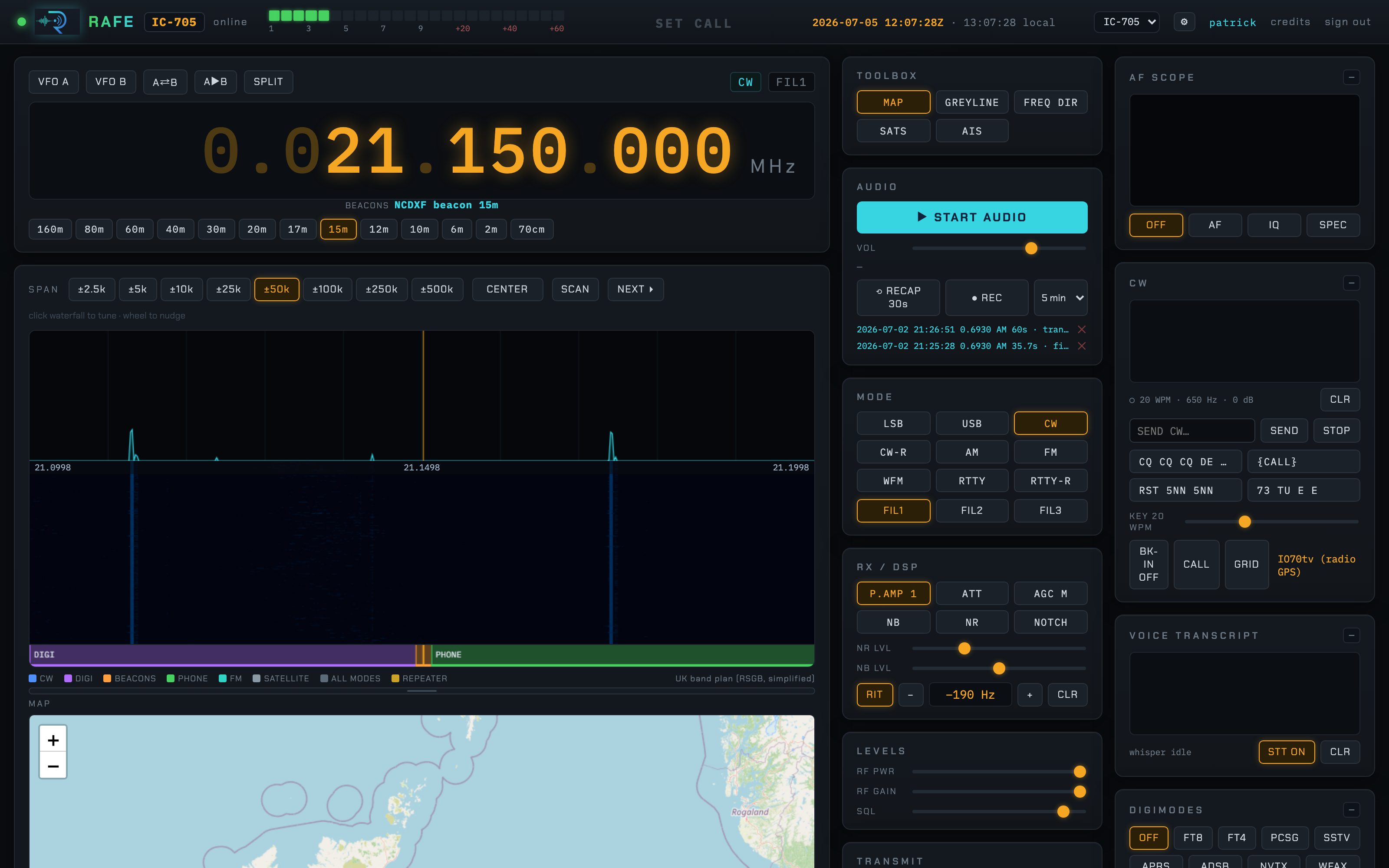
Plots decoded APRS stations and (with an SDR) aircraft on a Leaflet map.
GREYLINE & propagation
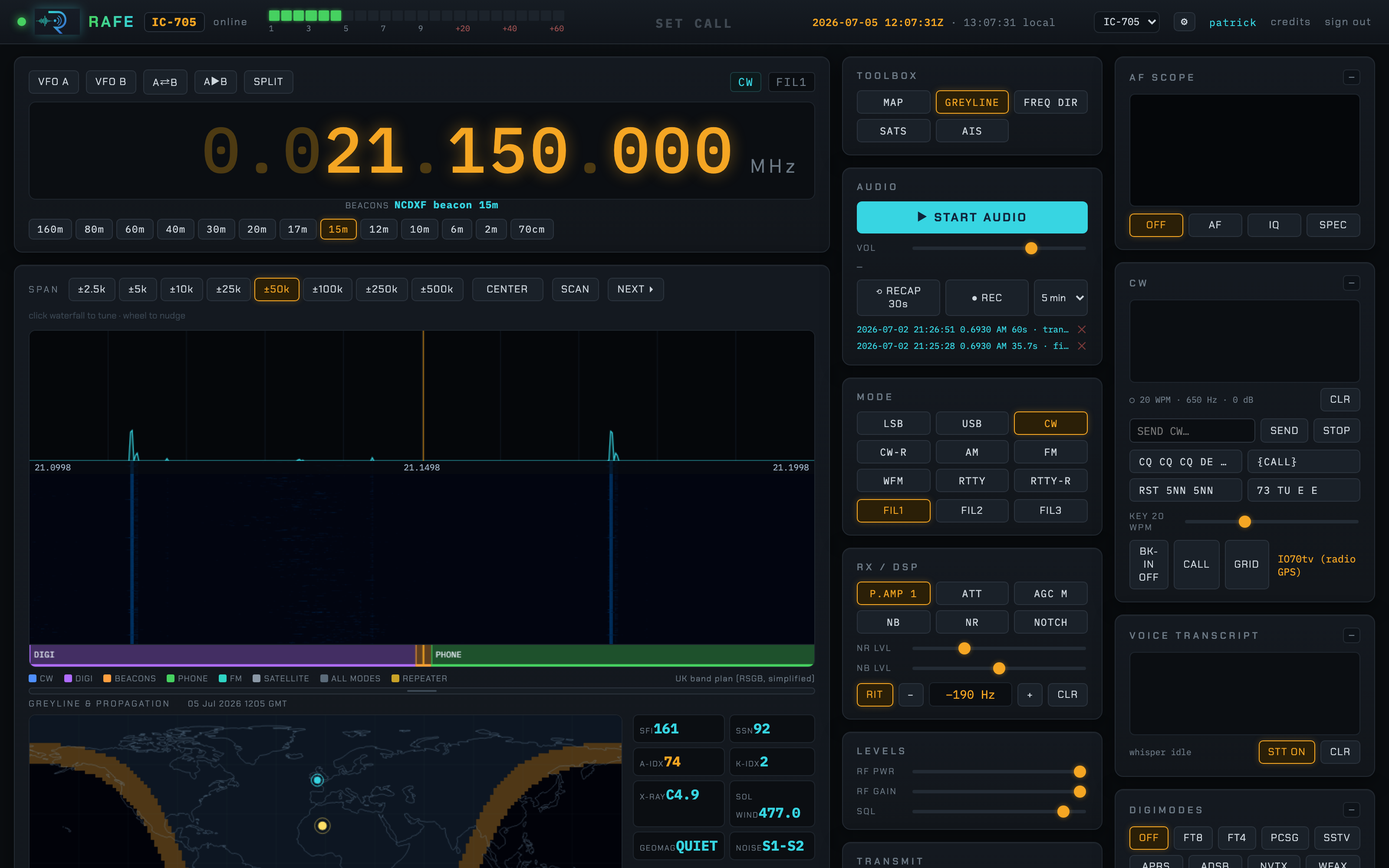
A HamClock-style day/night terminator over a world map, with your station and the sub-solar point marked, plus a live space-weather panel fetched from hamqsl.com:
- Solar indices — SFI, SSN, A-index, K-index, X-ray flux, solar wind, geomagnetic state and background noise.
- HF band conditions — a day/night Good/Poor grid for 80–40, 30–20, 17–15 and 12–10 m.
- Your grid, sunrise/sunset and the grey-line pass times (best DX).
The frequency directory uses this data to flag good SWL/DX openings.
FREQ DIR — frequency directory
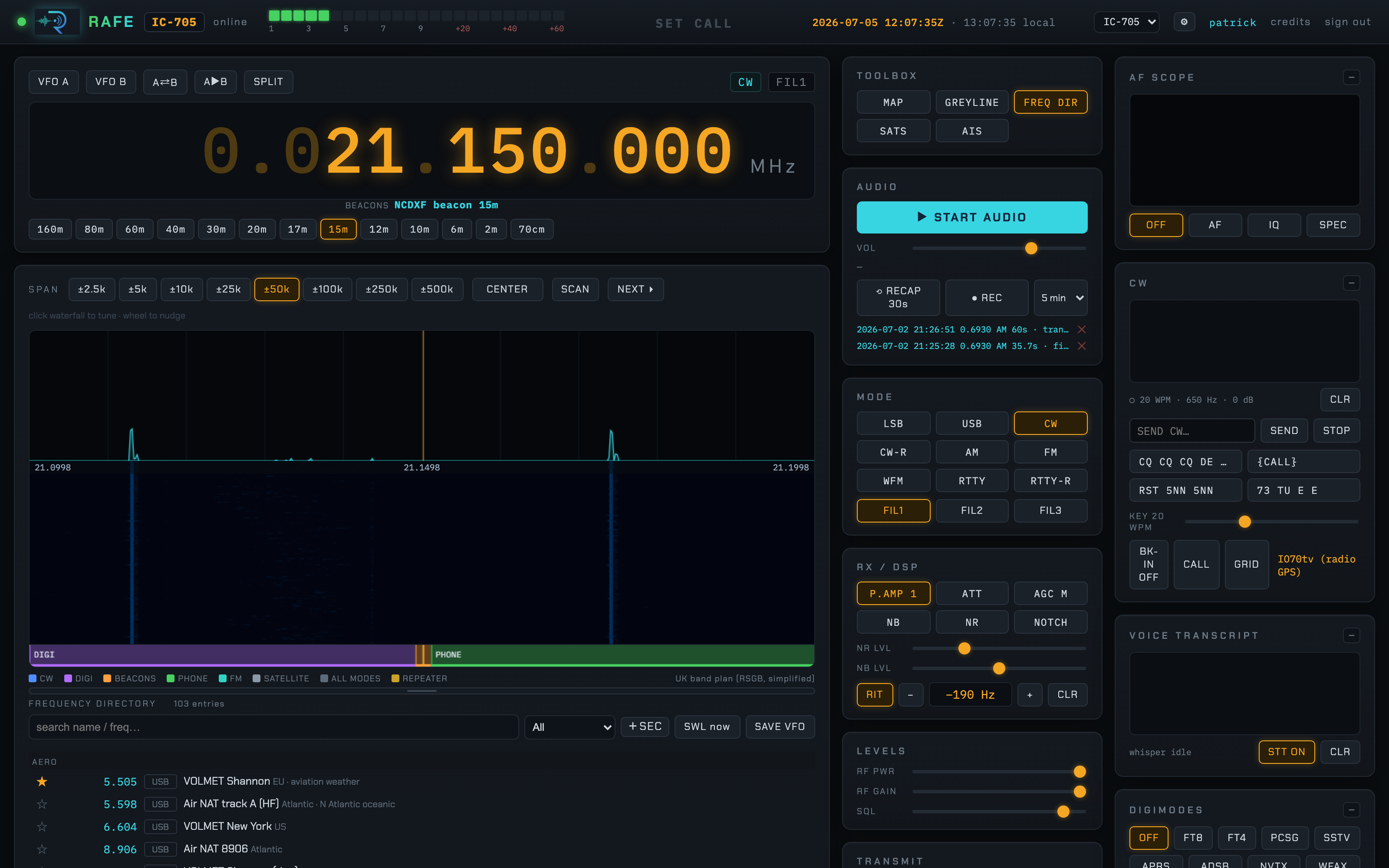
A large click-to-tune directory (aero/VOLMET, marine, broadcast/SWL, CB UK/US/EU, amateur calling frequencies, nets, beacons and more), grouped into searchable, filterable sections. When you tune an entry the auto-ID line under the dial names it (e.g. MARINE · Marine HF 12 MHz (ch1205)).
- ★ star existing entries; add your own private memories.
- + SEC create a custom section; SAVE VFO drop the current dial into one.
- SWL now filters to entries with a good opening for the current propagation.
SATS — satellite tracker
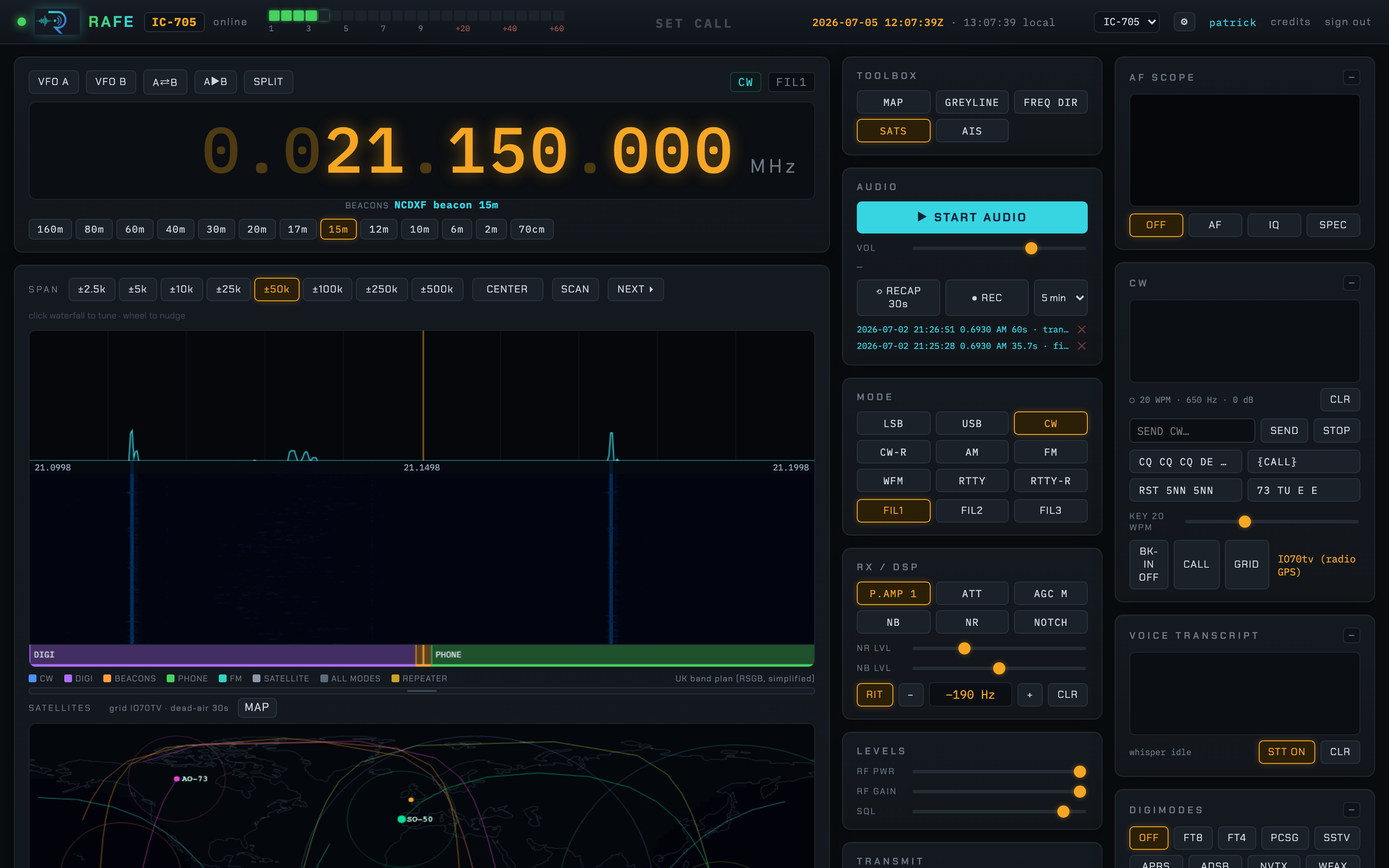
Live pass predictions for the ISS and ham satellites (SO-50, RS-44, AO-73…) over your Maidenhead grid, with a map of sub-points, ground tracks and footprints. Each bird has a chip showing whether it's up (▲ elevation/azimuth) or below horizon, and the pass table lists countdown / UTC / local / max elevation / AOS→LOS azimuth / duration in aligned columns.
- Click a downlink to tune it.
- DOP auto-tracks Doppler on the dial through the pass.
- REC auto-records the pass (with dead-air padding either side).
It also tracks weather satellites (Meteor-M2, NOAA) and Inmarsat (Alphasat, I-4), badged with their signal type (LRPT / APT / AERO / STD-C). These are wideband / L-band, so instead of tuning the IC-705 they show a DECODE button that captures them with an SDR — see the server guide and install guide.
AIS — ship tracking
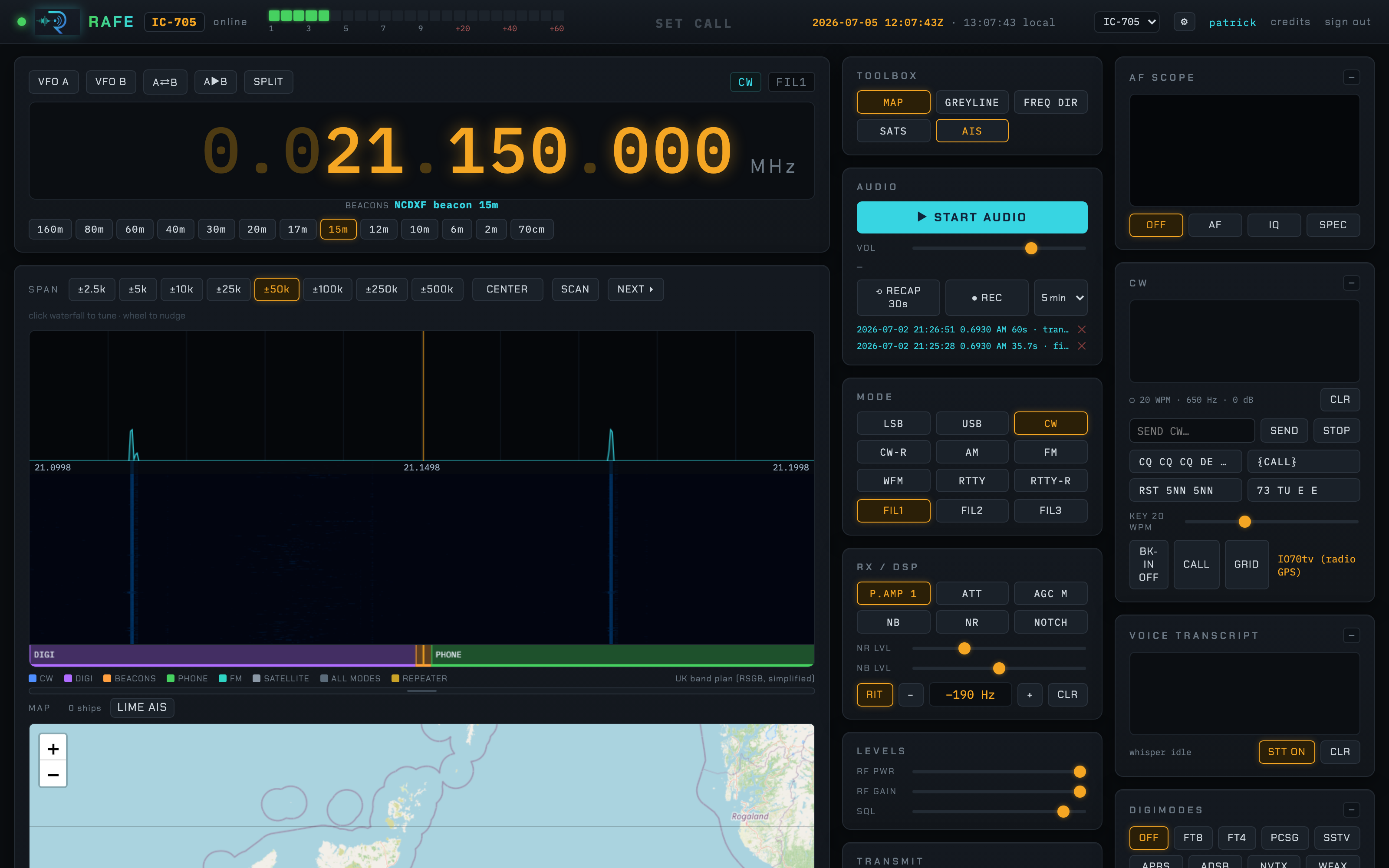
Plots AIS ship positions (name, MMSI, speed, course) on the map. Ships come from a local SDR (LIME AIS toggle) and/or networked collectors — a Raspberry Pi with a cheap RTL-SDR feeding the server (see the server guide).
Logbook & DX cluster
- LOGBOOK — log worked stations (call, RST sent/received, name, grid, comment). It's a SQLite database with ADIF 3.1.6 import/export, band auto-filled from frequency, DXCC/band counters, search, and automatic band-condition capture per QSO.
- DX CLUSTER — connect to a DX spotting cluster and see spots live.
- The frequency directory supports private memories, stars on existing entries, and user-defined sections.
Multiple radios
The header has a radio switcher. Configure any number of radios (the IC-705, a USB radio behind an RS-BA1 server, or an SDR) in the ⚙ dialog — each with its own host, RS-BA1 login, CI-V address and TX permission — and switch between them live.