Z1 Uploader
Z1Uploader is a small native application - for the Mac, for Windows and for Android - that does one job: it sends G-code files to a Makera Carvera CNC machine over the local network. It finds the machine, takes a .nc, .cnc or .gcode file, and puts it in /sd/gcodes/ - the same directory the official controller and the machine's own file browser open on, so the job is waiting on the machine's screen when you walk over to it.
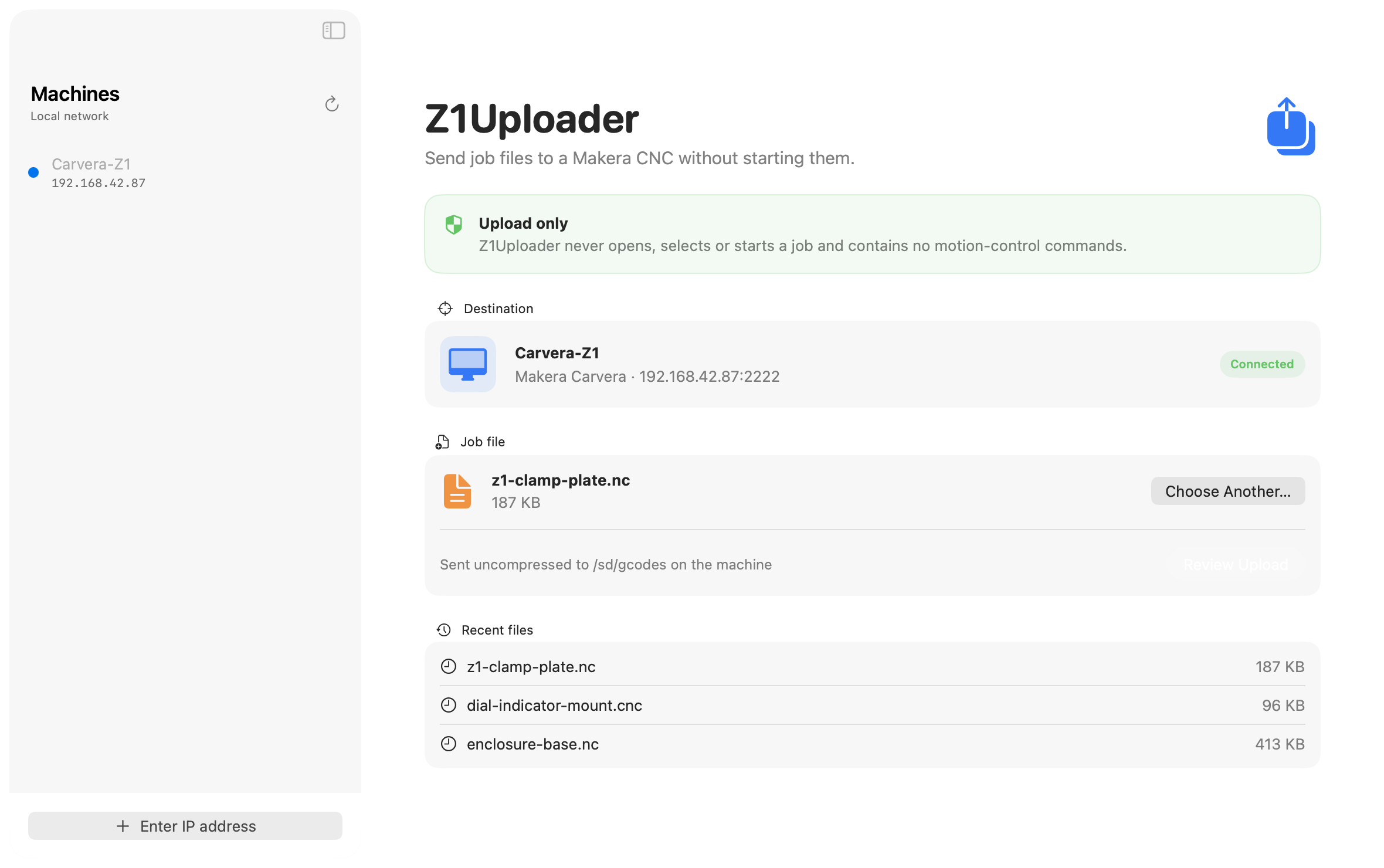
The screenshots on this page are real captures of the app talking to a real machine, not mock-ups.
Download for macOS
Download Z1Uploader 1.0.0 for macOS (zip, 3.8 MB). The Mac build runs on macOS 14 or later, and it is Swift on Apple's own frameworks - there is no Electron inside.
This build is not yet notarised, so macOS will warn on first launch that it cannot check the app. On macOS 14, right-click the app and choose Open. On later versions the same warning is cleared under System Settings > Privacy & Security, where an "Open Anyway" button appears after the first attempt.
The Windows version
The same app with the same window, for Windows 10 and 11 (64-bit). It is native code again - C# on .NET, with Avalonia for the interface, so no Electron here either. It ships as a single Z1Uploader.exe with no installer: unzip it and run it. The exe is 91 MB unpacked because the .NET runtime is inside it - self-contained means exactly that, and there is nothing to install first.
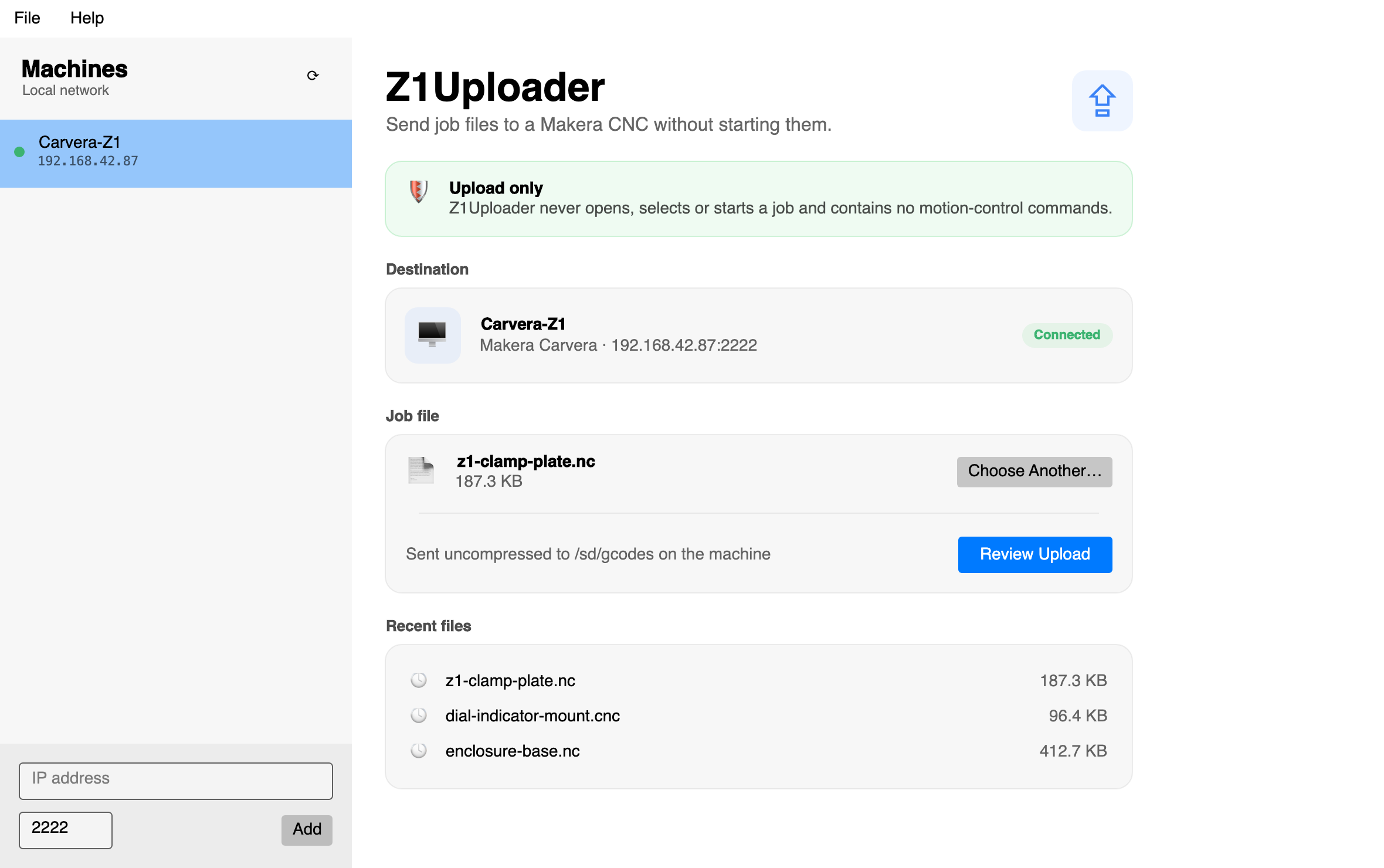
Download Z1Uploader 1.0.0 for Windows (zip, 39.5 MB). It matches the Mac build feature for feature: discovery and manual IP entry, the upload-only guarantee, progress and cancel, recent files, the duplicate guard, the About box, and the same update check - File > Settings switches it off.
The exe is not signed, so Windows SmartScreen will warn on first run. Click "More info", then "Run anyway".
The Android version
Kotlin and Jetpack Compose, native again, no Electron. It needs Android 8.0 or later and ships as a signed APK.
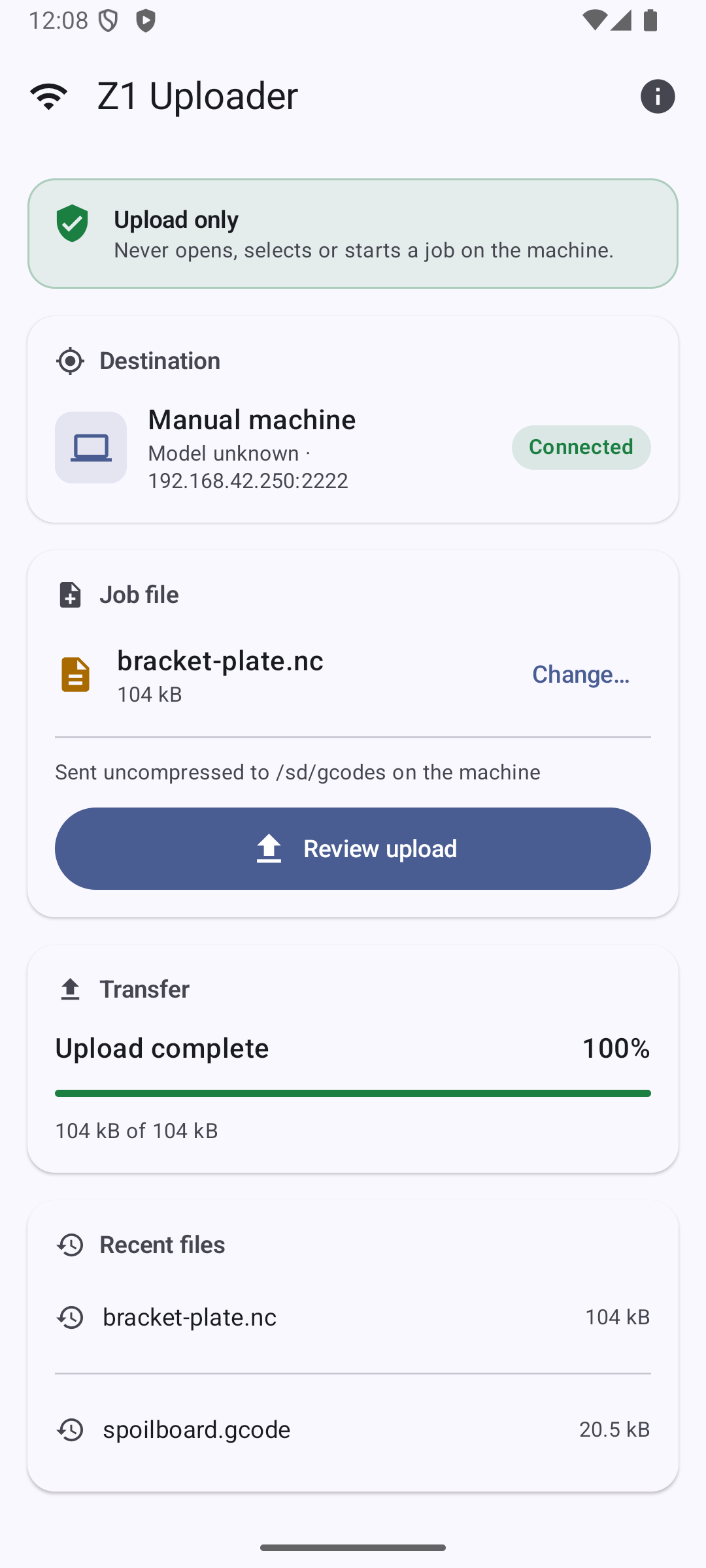
Download Z1Uploader 1.0.0 for Android (APK, 15.8 MB). It matches the desktop builds feature for feature: discovery and manual IP entry, the upload-only guarantee, progress and cancel, recent files, the duplicate guard, the About box, and the same update check.
It can also do something the desktop builds cannot: as well as the phone's own file picker, it browses network filestores directly - SMB shares and WebDAV servers. It remembers the servers you have used and the folder you were last in, so a job file sitting on a NAS can be sent without copying it to the phone first. Passwords go in the Android keystore rather than the app's settings file.
Portrait and landscape both work. On a tablet, or in landscape, the machine list and the job sit side by side.
It is not on the Play Store - this is a direct download, so Android will ask you to allow installs from your browser the first time, and Play Protect may warn you because the app did not come from the store. The machine is found by listening for its broadcast on the local network, so the phone has to be on the same Wi-Fi.
The iPhone and iPad version
SwiftUI, for iOS 17 and later. It shares the Mac app's networking and transfer code directly rather than being a second implementation of the same thing.
Same feature set as the others: discovery and manual IP entry, the upload-only guarantee, progress and cancel, recent files, the duplicate guard and the About box. It has the same SMB and WebDAV filestore browsing as the Android version, and it will read anything reachable from the Files app as well - iCloud Drive and any server you have added there. Portrait and landscape, with the two-pane layout on iPad.
There is no download link, and there cannot be one: Apple does not allow an iPhone app to be installed from a web link, so it will go out through TestFlight. That is not open yet. The app is built but not yet released, so please check back here rather than asking me for a date.
Upload only
The app never opens, selects or starts a job, and contains no motion-control commands at all - no run, no play, no home, no jog, no spindle, no laser. Nothing it can do can move the machine. That is not a setting; the commands are simply not in the program.
The official controller is a full remote control, and a full remote control is the wrong tool for the one thing done every single time, which is getting the file across the room. Z1Uploader exists so that sending a job is an action with no sharp edges.
Finding the machine and sending the file
A Carvera announces itself on the local network, and the app listens for those announcements and lists every machine it hears. If your network does not carry the broadcast, an IP address can be entered by hand; the connection indicator is live either way.
The transfer itself uses the same machine-driven handshake as the official controller, with a progress bar, the current transfer speed, and a Cancel that works. Files are sent uncompressed: the official controller only compresses when the machine offers it and the file is large enough, so a raw transfer is ordinary firmware behaviour - it costs a little time on a big file and removes any chance of an untested compressor writing a corrupt job.
The app keeps a list of recent files, and it guards against the easiest mistake of all - sending the same file twice. If the same file has already gone to the same machine within the last 24 hours, the confirmation sheet says so, and the send button stays disabled until "Upload it again" is ticked.
The update check
At launch the app asks this site whether a newer version exists, and says so if one does. The check is on by default and can be switched off in Settings; it can also be run by hand from the application menu.
Disclaimer
If it's not already blindingly obvious, this app has nothing whatsoever to do with Makera the company, nor is it endorsed by them. Use this software at your own risk - what works for me may not work for you.